The gap between accepting a payment and recording it correctly in your books is where businesses lose hours every week. A mobile money payment arrives, the cashier notes it in a book, and at the end of the day someone manually matches those entries to the sales records. If the numbers do not match — and they often do not — someone spends the next hour trying to find the difference.
Vendra eliminates that reconciliation step by connecting payment processing directly to the accounting and POS system.

Payment methods supported
Vendra supports three payment categories at the point of sale:
- Mobile money — M-Pesa STK push triggered directly from the POS. The customer receives a prompt on their phone, pays, and the confirmation posts automatically.
- Card payments — Visa and Mastercard via integrated card processors. The transaction records and posts to accounts when confirmed.
- Bank transfer — for B2B payments and large transactions. Matched against outstanding invoices when received.
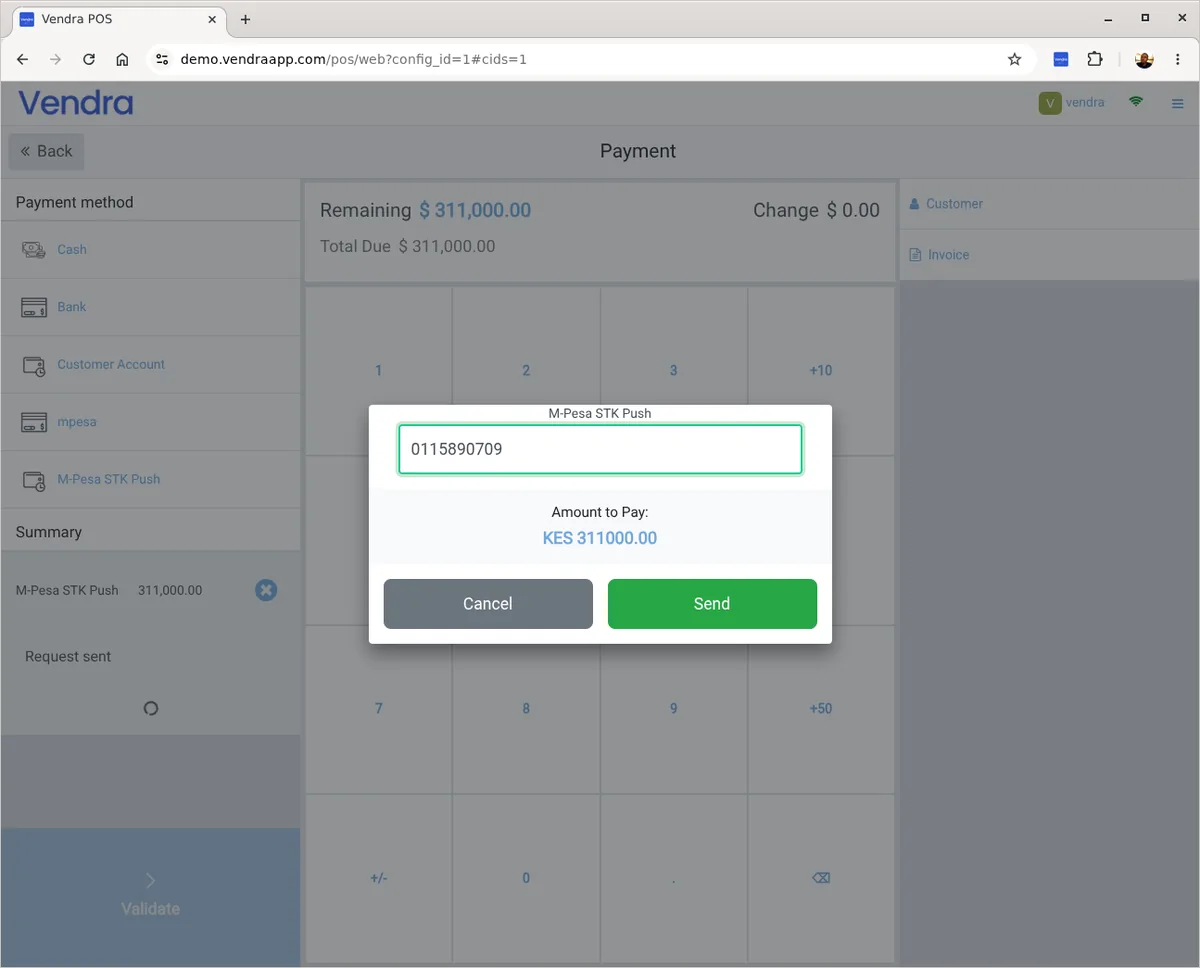
How M-Pesa integration works
When a customer pays via M-Pesa at checkout, the POS sends an STK push to their phone number. They enter their PIN and the payment is confirmed within seconds. The POS marks the sale as paid and the accounting records the revenue — all automatically. No separate M-Pesa app to check, no book to write in, no reconciliation to do at the end of the day.
A business doing 80 mobile money transactions a day — each one manually noted and reconciled — spends roughly 45 minutes to an hour on that reconciliation every evening. With STK push integration, that number is zero.
Automatic reconciliation
Because payments are confirmed through the system — not captured manually — there is nothing to reconcile separately. End-of-day totals by payment method are in the system the moment the session closes. Cash is the only payment type that requires a physical count.
Split payments
A customer paying part in cash and part by card is one transaction. The system records each payment method separately and the sale is marked paid when the total is covered.
Payment dashboards
See today's revenue broken down by payment method — cash, mobile money, card — in real time. No waiting until the session closes to see where the money came from.
Subscription payments
For businesses that charge clients on a recurring basis, Vendra supports automatic payment collection tied to invoices.
Payment notifications
Customers get an email confirmation when their payment is received. Your team can see large payments or failed payments as soon as they land in the system.
Is M-Pesa available everywhere?
M-Pesa is available in Kenya, Tanzania, Uganda, Ethiopia, Mozambique, Ghana, Egypt and other markets. Card processing via Paystack is available across most of Africa. For businesses outside these regions, contact us about available payment integrations in your country.