The problem with using standalone accounting software alongside a separate POS and inventory system is that nothing is ever quite current. Sales from the till need to be entered. Stock adjustments need to be journalled. Payroll needs a manual posting. By the time the accountant sees the numbers, they are already days old and probably have errors from the re-entry.
Vendra's accounting module is built into the same system as the POS, inventory and payroll. When a sale is made, it posts. When stock is received, it posts. When payroll runs, it posts. The books are always up to date because there is nothing to transfer.

Double-entry accounting
Vendra uses standard double-entry bookkeeping — every transaction creates a debit and a credit in the appropriate accounts. The chart of accounts is pre-configured for common business types and can be customised. Accountants familiar with standard accounting principles will find the system straightforward.
Invoicing and billing
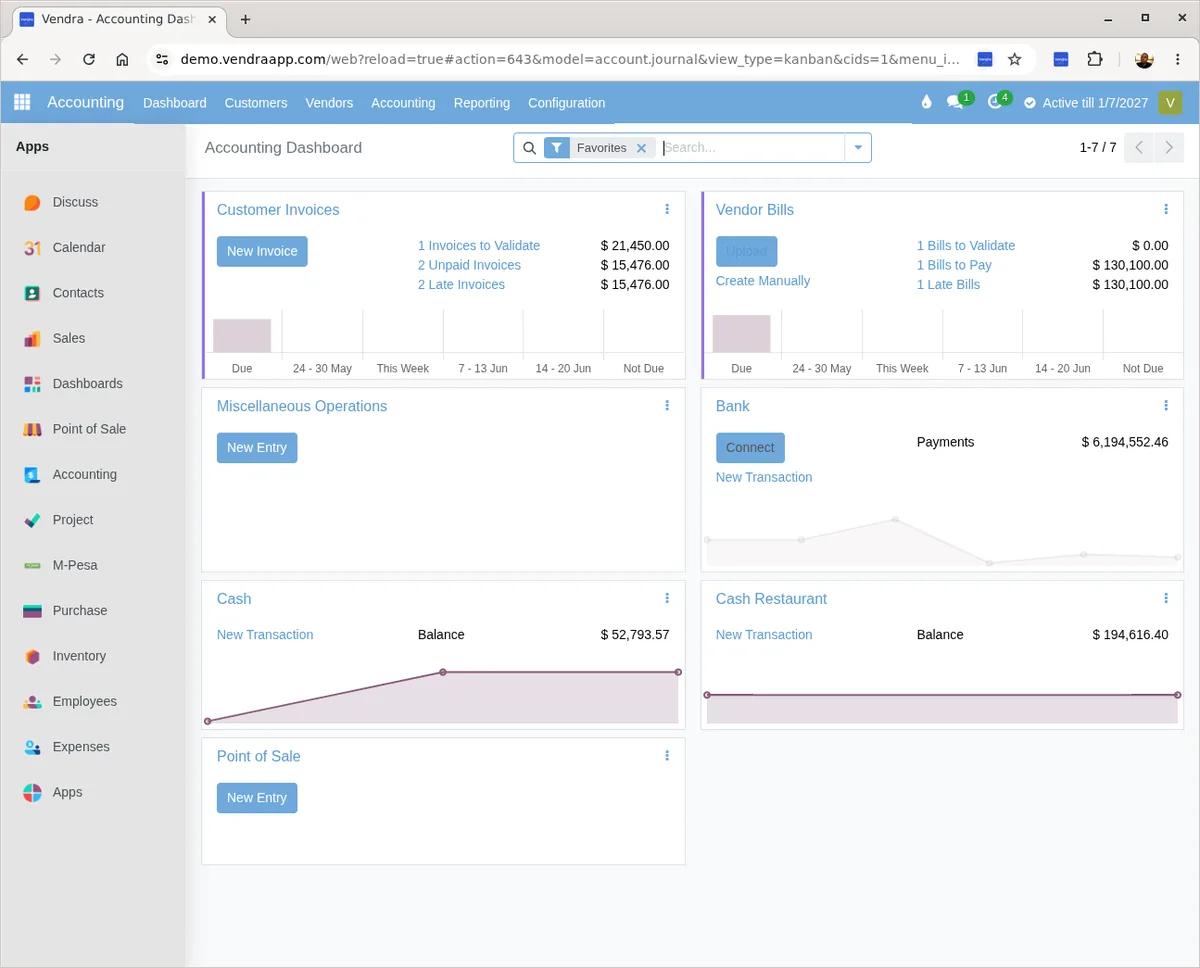
Create customer invoices with line items, payment terms, tax breakdowns and your company branding. Send by email. The system tracks payment status per invoice — paid, partially paid, overdue. The aged debtors report shows what is owed and for how long.
Bank reconciliation
Import your bank statement and match transactions against the records in your books. The system highlights unmatched items so you can identify missing entries or errors. Reconciliation that used to take a day can be done in an hour once the system has your historical data.
Because payments come in via card, bank transfer and mobile money — and all of them reconcile automatically in Vendra — your bank reconciliation mostly involves clicking "match" on transactions that are already in the system.
P&L reports
Profit and loss statement by month, quarter or custom period. Filter by branch or see the consolidated view across all locations.
Balance sheet
Assets, liabilities and equity at any point in time. The balance sheet is always current because postings happen automatically.
VAT and tax compliance
Tax is calculated automatically on every invoice and purchase based on the configuration for each product. VAT reports are generated in the format your tax authority requires.
Supplier management
Record purchase invoices, track what you owe suppliers and manage payment terms. The aged creditors report shows outstanding supplier balances.
Reports your accountant will actually use
Trial balance, P&L, balance sheet, cash flow statement, aged debtors, aged creditors, VAT returns — all of these are available directly from the system. For end-of-year or audit purposes, your accountant can access the system with read-only access rather than receiving exports of spreadsheets.