Most point of sale systems do the same thing at their core — scan a product, take a payment, print a receipt. The differences that matter are what happens around that: whether the stock updates in real time, whether mobile money reconciles automatically, whether a cashier can give discounts without approval, and whether the whole thing still works when the internet goes down.
Vendra's POS is built into the same platform as inventory, accounting and payments — so there is no gap between what happens at the counter and what the system knows.

How the checkout works
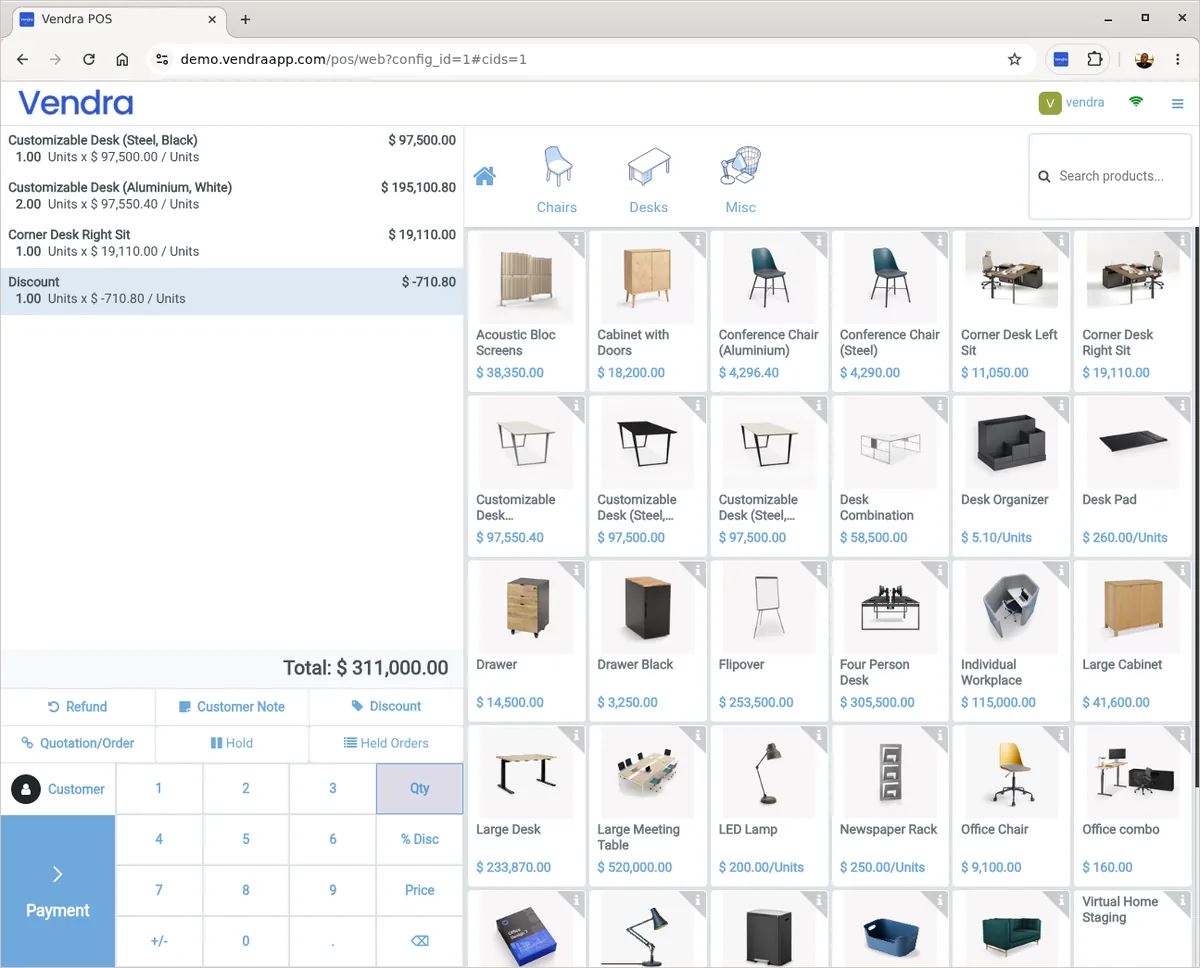
A cashier opens their session, searches or scans products, and the order builds on screen. Payment can be taken by cash, card or mobile money — all from the same checkout flow. The receipt prints or is sent digitally. The session closes at end of shift with a cash reconciliation.
Barcode scanning
Any USB or Bluetooth barcode scanner that behaves like a keyboard works with Vendra POS. Scan a product and it adds to the order instantly. For businesses that have not set up barcodes yet, products can be searched by name or category — the scanner is optional, not required.
Multiple payment methods at the same checkout
Cash, card and mobile money can all be accepted for the same order. A customer paying part in cash and part via card is a single transaction — the system handles the split and records each payment method separately for end-of-day reconciliation.
Mobile money payments send a prompt to the customer's phone directly from the POS. No separate app, no checking SMS confirmations. The payment confirmation comes back to the system automatically and marks the sale as paid.
Cashier controls and security
This is where most POS systems are too permissive. Vendra restricts what cashiers can do at the till without needing complex configuration:
Fixed discounts only
Cashiers can only apply discount options you have approved. No open-amount discount entry that anyone can type a number into.
Session close restricted
Only managers with POS Administrator access can close a session. Cashiers cannot view end-of-day financial summaries or P&L.
Zero-stock blocking
Products with zero stock cannot be sold. The system blocks the sale and requires manager override — stopping phantom sales before they happen.
Full audit trail
Every transaction, refund and discount is timestamped and linked to the cashier who processed it. Nothing disappears into a generic "sales" figure.
Offline operation
Vendra POS works without internet. When the connection drops, sales continue processing normally. Orders are stored locally on the device and sync back to the cloud automatically when the connection returns. Receipts print through the local printer without needing internet access. Designed specifically for environments where connectivity is variable.
POS connected to accounting
Every sale at the POS posts to your accounts the moment it is confirmed. At end of day, your accounting already reflects the day's revenue — by payment method, by product category, by outlet. There is no separate data entry step between the till and the books.
Multi-terminal and multi-outlet
Run multiple POS terminals at the same location, or across multiple branches. Each terminal has its own session and cashier tracking. Stock deducts from the correct location. Reports can be viewed per outlet or consolidated across all of them.