A hardware store carries a different kind of complexity from most retail businesses. The same product — a GI pipe, a bag of cement, a roll of electrical wire — might be sold in five different sizes, measured in three different units, and purchased from two competing suppliers whose prices change every week. On top of that, half your customers are contractors who run a tab and settle at month end, while the other half are walk-in customers who pay on the spot.
Generic retail software tends to fall apart quickly in this environment. You end up with workarounds: separate price lists maintained in spreadsheets, manual stock counts because the system can't handle meters and kilograms, and no real picture of who owes what. Vendra is built on the same foundation as Odoo — enterprise ERP — which means it handles all of this natively, not as an afterthought.

What a hardware store needs from its software
Before looking at how Vendra handles things, it is worth being specific about what the software actually needs to do. A hardware store's day-to-day creates demands that most POS systems cannot meet:
- Track hundreds of product variants — the same nail in six different lengths, each with its own barcode and price
- Handle mixed units of measure — buy wire by the roll, sell it by the meter; buy nails by the box, sell by the kilogram
- Run credit accounts for contractors and builders, with proper payment terms and month-end statements
- Issue purchase orders to multiple suppliers and compare quotes before confirming
- Know where stock is physically located in a large store — which rack, which bin
- Automatically flag when a product needs reordering so nothing runs out unexpectedly
- Create project quotations: a builder needs 500 bags of cement, 200 sheets of corrugated iron, 50 rolls of binding wire — all priced and sent as a single document
- Produce accurate financial reports: margin per product, slow-moving stock, aged receivables
Managing all of this with a basic POS and a set of spreadsheets works until it doesn't. The breaking point is usually a stock discrepancy that nobody can explain, a contractor who disputes their balance, or a reorder that was missed because nobody noticed the bin was empty.
How Vendra handles hardware store operations
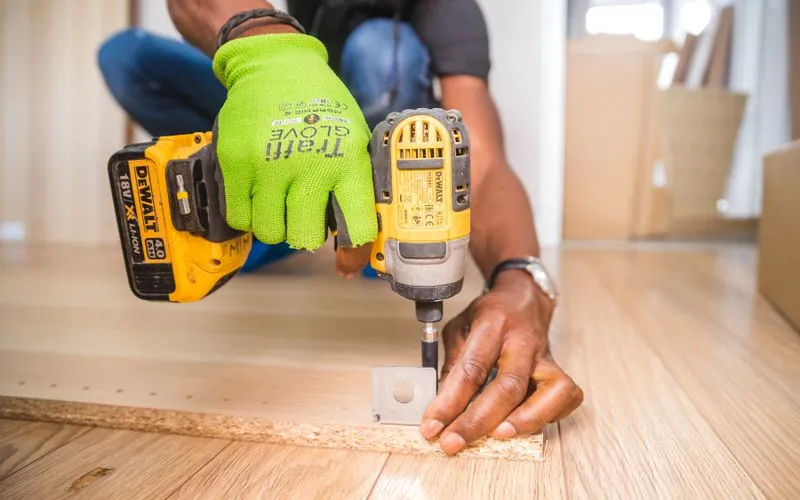
Product variants: one product, many sizes
In Vendra, a product like "GI Pipe" is created once. You then define its variant attributes — diameter (½", ¾", 1", 1¼") and length (1 m, 3 m, 6 m). The system generates a separate variant for every valid combination. Each variant has its own selling price, its own cost price and its own barcode. When you scan a 6 m × 1" pipe at the POS, the system knows exactly which variant it is, deducts from the correct stock bin and posts the correct cost to your accounts.
This applies across your entire catalogue. Nails by diameter and length. Cement by bag weight and grade. Electrical cable by core count and cross-section. Paint by colour and tin size. You configure the attributes once and the system handles the rest.
A hardware store that previously maintained a separate spreadsheet row for every size of every product — often thousands of rows — can replace that entirely with Vendra's variant system. One product record, one reorder policy, one supplier, but full visibility and separate pricing for every size variant.
Units of measure and purchase-to-sale conversion
Hardware stores routinely buy in one unit and sell in another. You receive binding wire in 25 kg coils and sell by the kilogram. You receive roofing sheets in bundles and sell individually. You buy sand by the cubic metre but charge customers by the tonne.
Vendra's Units of Measure module handles this with a conversion factor you set once per product. The purchase order is raised in the supplier's unit. When you receive the goods, the system converts to your stock unit automatically. When you sell, it converts again to whatever unit the customer buys in. Your stock balance is always accurate — no manual calculation, no rounding errors entered by hand.
Purchase orders and supplier management
When stock runs low, you raise a Request for Quotation directly in Vendra and send it to one or more suppliers. Each supplier responds with their price. You compare the quotes side by side in the system, choose the best offer and confirm the purchase order with a single click. When the delivery arrives, you receive it against the PO — the system checks quantities, updates stock immediately and creates the supplier bill. Every purchase is traceable from the original RFQ through to payment.
Automatic reorder points
Set a minimum stock level for any product or variant. When on-hand quantity drops to that level, Vendra generates a draft purchase order to the preferred supplier. You review and confirm — the monitoring is automatic.
Bin and rack locations
For larger stores, enable multi-location inventory within a single warehouse. Assign each product to a specific aisle, rack and bin. The system tells receiving staff exactly where to put stock and picking staff exactly where to find it.
Contractor credit accounts
Set up each contractor with a credit limit and payment terms. Sales are invoiced to their account. At month end, generate a statement of all open invoices. Record the payment when it arrives and match it against the outstanding balance.
Project quotations
Create a formal quotation for a large project order: line by line — cement, iron sheets, paint, fixings, wire. Apply a project discount if agreed. Send by email or print. When the customer confirms, convert the quotation to a sale order in one click.
POS for walk-in retail customers
The Vendra point of sale works on any device — tablet, touchscreen or desktop. Cashiers scan barcodes to add items; product variants are identified automatically from the barcode so there is no confusion between a 2" nail and a 3" nail. The POS accepts cash, card and local payment methods including mobile money where available.
Financial security is built in. Cashier accounts can be restricted so they cannot override prices, apply discounts beyond a set threshold or issue refunds without a manager PIN. Every transaction is logged with a timestamp and the cashier who processed it. If there is a discrepancy at end of day, you can see exactly where it came from.
Accounting: automatic and accurate
Every sale, purchase and payment in Vendra posts a double-entry journal entry automatically. There is no separate accounting software to synchronise with and no manual data entry at month end. Your profit and loss, balance sheet and cash flow statement are always up to date — not a snapshot from last month's export.
Tax is configured per product and per customer location. Whether you are charging VAT, GST, sales tax or a combination of levies that apply in your country, the system calculates and posts the correct amount on every transaction. Vendra supports tax compliance for over 90 countries out of the box.
Reporting that hardware stores actually use
The reports that matter in a hardware business are not the same as those in a café or a pharmacy. Vendra includes:
- Slow-moving stock report — products that have not sold in 30, 60 or 90 days, so you can clear dead inventory before it ties up cash
- Best-selling products — sorted by volume or by revenue, filterable by date range or product category
- Margin per product — cost price versus selling price, showing which lines are actually profitable and which are being sold below cost
- Aged receivables — every contractor account broken down by current, 30 days, 60 days and over 90 days outstanding, so you know which accounts need a call
- Stock valuation — total value of on-hand inventory by product category, useful for insurance, bank reporting and year-end accounts
Does Vendra handle large hardware inventories?
Yes. Vendra is built on Odoo with a dedicated database per tenant. There is no practical SKU ceiling. A hardware catalogue with 20,000+ active items performs the same as one with 500, because the system was designed for enterprise-scale inventory from the ground up, not retrofitted onto a basic POS. Stock search is indexed by barcode, product code, name and variant attribute simultaneously, so finding "GI pipe 1 inch 6 metre" in a 20,000-item catalogue is instant.
If you are migrating from a spreadsheet or another system, Vendra supports bulk product import via Excel. You prepare a spreadsheet with product names, codes, barcodes, cost prices, selling prices, unit of measure and reorder quantities — the system imports everything in one step. Hardware stores with thousands of items do not need to enter stock one by one.
Vendra is already used by hardware retailers managing 5+ outlets and 20,000+ product variants across locations in Kenya. Large catalogue size does not require a special plan or a server upgrade — enterprise-grade performance is included in every subscription.
Remote monitoring: check your shop from anywhere
Because Vendra is entirely browser-based and cloud-hosted, you can see everything happening in your shop from your phone, tablet or laptop — even if you are in another town. Log in and you see today's sales in real time, the current stock balance for any product, which cashier processed which transaction and at what time, and which contractors have outstanding balances. There is nothing to install and no VPN required — just a browser and internet access.
This is particularly useful for hardware store owners who split time between a main store and a yard, or who want to check sales figures while away at a supplier. The daily sales dashboard, cashier session summaries and low-stock alerts are all visible remotely the same way they are visible in-store.
How is this different from a basic hardware POS?
A basic POS records a sale and deducts from a flat stock count. It does not understand that "GI pipe 1 inch 6 metre" and "GI pipe 1 inch 3 metre" are two different products with different prices. It cannot raise a purchase order, track a supplier's delivery or post an accounting entry. It has no concept of a contractor account, a credit limit or a month-end statement.
Vendra is an ERP — it connects the sales counter, the stockroom, the purchasing desk and the accounts office into one system. Changes in one part of the business are reflected everywhere else in real time, without anyone needing to re-enter data or run an import.
What plan do I need?
Hardware stores with POS, product variants, units of measure, purchase orders, reorder rules and contractor credit accounts can start on Entrepreneur at $28/month. Stores that also need full accounting and payroll should run on Business at $59/month. Business Plus at $99/month adds multi-location stock management for up to 5 outlets — useful if you have a main store plus a yard or additional branches. All plans are cloud-based with no server and no installation.